Keeping your phone and keyboard clean is essential for both hygiene and device longevity. These everyday gadgets accumulate dust, dirt, and germs, which can affect performance and your health. However, cleaning them safely requires some care to avoid damage. In this post, we’ll guide you through the best practices for cleaning your phone and keyboard without risking harm.
Why Clean Your Phone and Keyboard?
Phones and keyboards are high-touch surfaces, often exposed to oils, crumbs, and microbes. Regular cleaning helps:
– Remove germs and bacteria
– Improve device responsiveness
– Prolong lifespan by preventing dust buildup
– Enhance appearance by removing smudges and stains
Now let’s look at how you can clean these devices safely.
General Tips Before You Start Cleaning
– Power off your device. Always turn off phones and unplug keyboards to avoid accidental inputs or damage.
– Use gentle materials. Avoid abrasive cloths or paper towels that could scratch surfaces.
– Avoid excess moisture. Too much liquid can seep inside and harm electronics.
– Check manufacturer’s instructions. Some devices have specific cleaning guidelines.
How to Clean Your Phone Safely
What You’ll Need
– Microfiber cloth (lint-free)
– Distilled water
– Isopropyl alcohol (70% or less)
– Cotton swabs or soft brush
– Small spray bottle (optional)
Step-by-Step Guide
- **Turn off and unplug your phone.** Remove any case or accessories.
- **Prepare cleaning solution.** Mix equal parts distilled water and isopropyl alcohol in a spray bottle. Alternatively, use a disinfectant wipe rated safe for electronics.
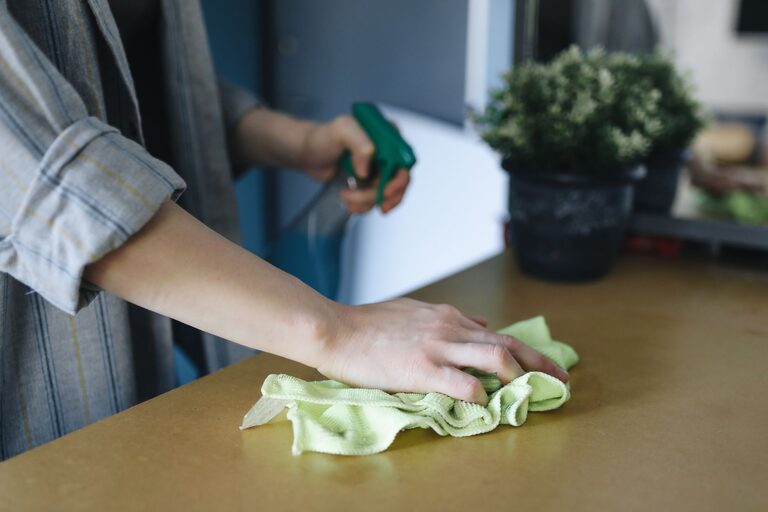
- **Dampen the microfiber cloth.** Lightly spray the cloth, never directly spray on the phone.
- **Wipe the phone gently.** Clean all surfaces, including the screen, back, and sides. Avoid ports and openings.
- **Clean small areas with a cotton swab.** Use a slightly dampened swab to clean around buttons, camera lenses, and charging ports carefully.
- **Dry the phone.** Use a dry microfiber cloth to remove any remaining moisture.
- **Reassemble and turn on.** Once fully dry, replace the case and power on your device.
Tips for Specific Phone Parts
– Screen: Use only screen-safe cleaning solution; avoid window or household cleaners.
– Ports: Use compressed air or a dry brush to remove dust.
– Cases: Clean cases separately with soap and water if removable.
How to Clean Your Keyboard Safely
What You’ll Need
– Microfiber cloth
– Isopropyl alcohol (70% or less)
– Cotton swabs or a soft, small brush
– Compressed air canister
– Mild dish soap and water (for detachable keys or silicone covers)
Step-by-Step Guide
- **Turn off and unplug your keyboard.** For wireless keyboards, remove batteries if possible.
- **Shake out debris.** Gently tilt and shake the keyboard to dislodge crumbs and dust.
- **Use compressed air.** Blow air between keys to remove dust and particles.
- **Clean the surface.** Dampen a microfiber cloth with a mixture of water and isopropyl alcohol and wipe all keys and surfaces.
- **Detail clean with a cotton swab.** Dip swabs in alcohol solution to clean in between and around keys.
- **For detachable keys or silicone covers:** Remove and soak in warm, soapy water, then dry thoroughly before reinstalling.
- **Allow to dry fully.** Make sure the keyboard is completely dry before plugging back in or turning on.
Extra Tips for Mechanical Keyboards
– Consult manufacturer guidelines for deep cleaning.
– Use a keycap puller to remove keys safely for thorough cleaning.
What to Avoid When Cleaning Phones and Keyboards
– Avoid using bleach, ammonia, or window cleaners.
– Do not spray liquids directly on devices.
– Never immerse your phone or keyboard in water.
– Avoid abrasive materials that can scratch surfaces.
– Do not use excessive force when wiping or pressing keys.
Final Thoughts
Regular cleaning of your phone and keyboard not only keeps them looking good but also reduces germs and prolongs their useful life. With the right materials and techniques, you can safely maintain your devices without worry. Make it a habit to clean your gadgets weekly or whenever they appear dirty for the best results.
Happy cleaning!
About the Author